Idea Capture, Untangled
A spatial notes app built around one rule: nothing moves until you approve it.
- Role
- Product Designer
- Solo
- Deliverables
- Persona, empathy map, journey map, final screens
- Context
- Personal project
- Mobile app
Overview
Tangle is a spatial notes app for capturing ideas without deciding upfront where they belong. AI helps surface connections between scattered ideas, but every suggestion stays a suggestion: nothing moves until it’s approved.
The problem
Most idea-capture tools treat scattering as an afterthought. Ideas go in easily, but finding them again, telling them apart, or trusting a tool to help organize them is where things fall apart.
Scattered everywhere
No single place to think. Ideas land in Notes, screenshots, Slack, and open tabs, with no thread connecting them.
Lost, not forgotten
The idea isn't gone, just unreachable. Knowing you wrote it down doesn't help if you can't remember where.
Mess without a path forward
A dump of loose ideas isn't a plan. Getting everything out and turning it into action are two separate stages.
Trust without control
AI that organizes without asking. Tools that promise to help either do too little, or change things without permission.
So I talked to seven people about where their ideas actually go.
Research synthesis
“Show me what it wants to change and let me accept or reject it.”
Meet Jeanine


Jeanine Walsh
The Scattered Synthesizer
- 34
- Freelance Designer
- Pittsburgh, PA
Bio
Works across Figma, Notes, screenshots, and Slack messages to herself, and has made peace with the fact that her ideas live everywhere. Doesn’t struggle to capture things: she struggles to find them again once the context fades. Thinks visually, prefers rearranging a canvas over writing linear lists. Genuinely open to AI helping her organize, but only if she can see what it’s doing and approve it first. A tool that changed her notes without asking would lose her trust immediately.
Personality
Jeanine
User journey map
Jeanine’s journey across four stages. Tap one to see her tasks, feelings, and where the experience still falls short.
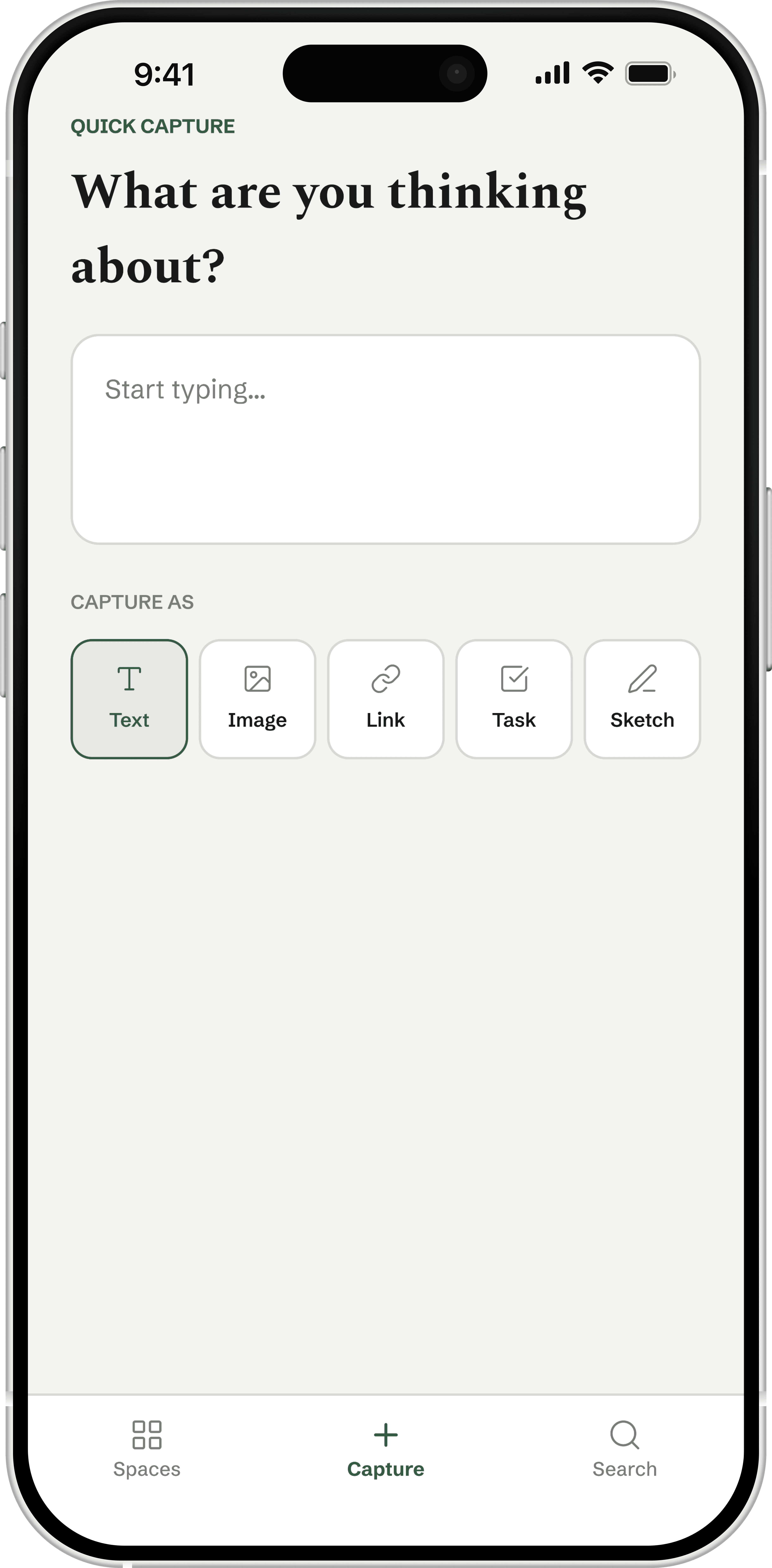
- Opens Quick Capture mid-thought and jots down a fragment before she loses it
- Chooses a capture type (text, image, link, task, sketch) without deciding which Space it belongs to
- Moves on, trusting the idea is saved somewhere findable
Relieved. This is the step she already does constantly across other tools, so low friction matters more here than almost anywhere else in the app.
No major issues identified. This matches her existing behavior closely.
A canvas that shows its work, not just its answers.
What I built
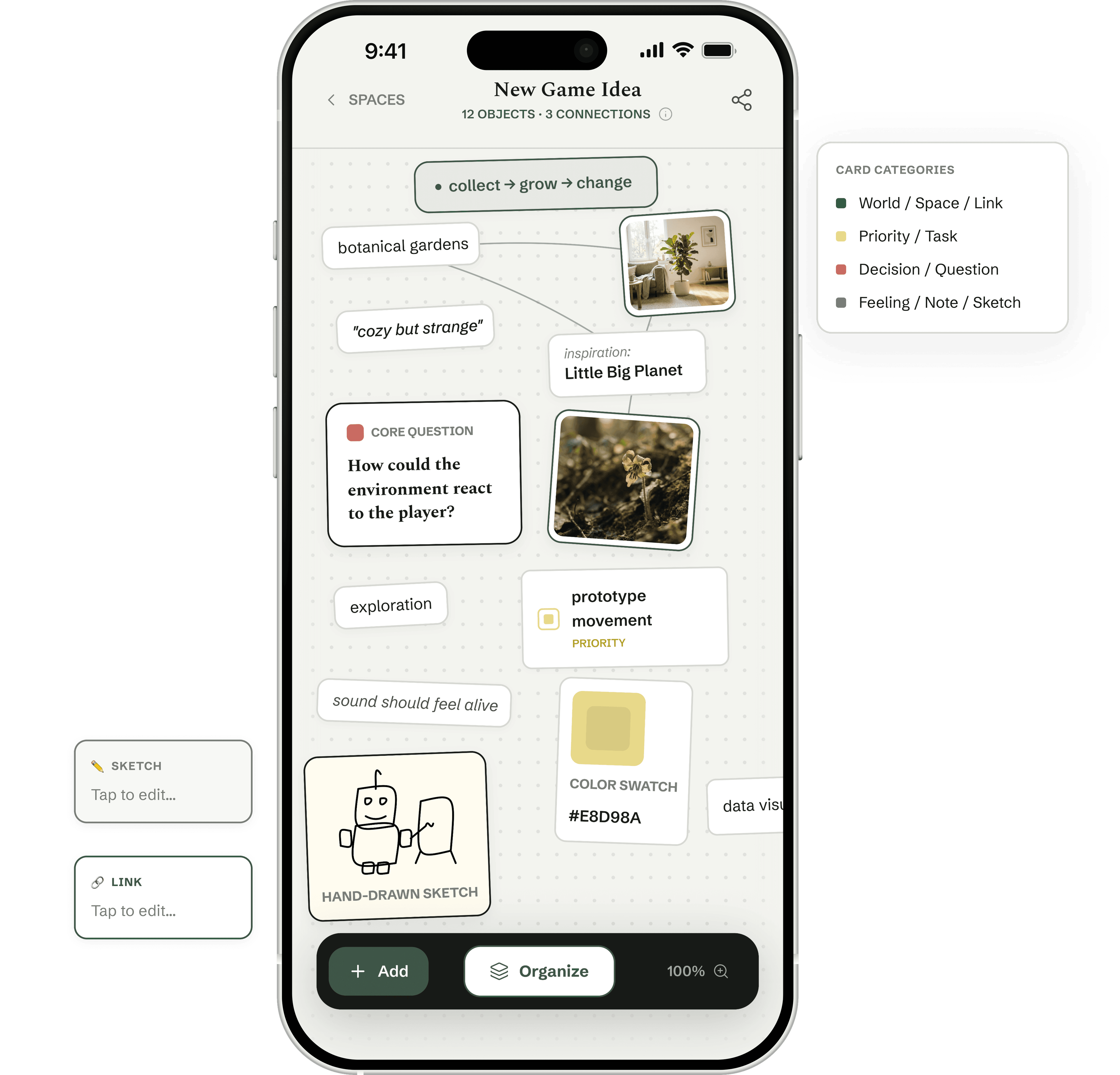
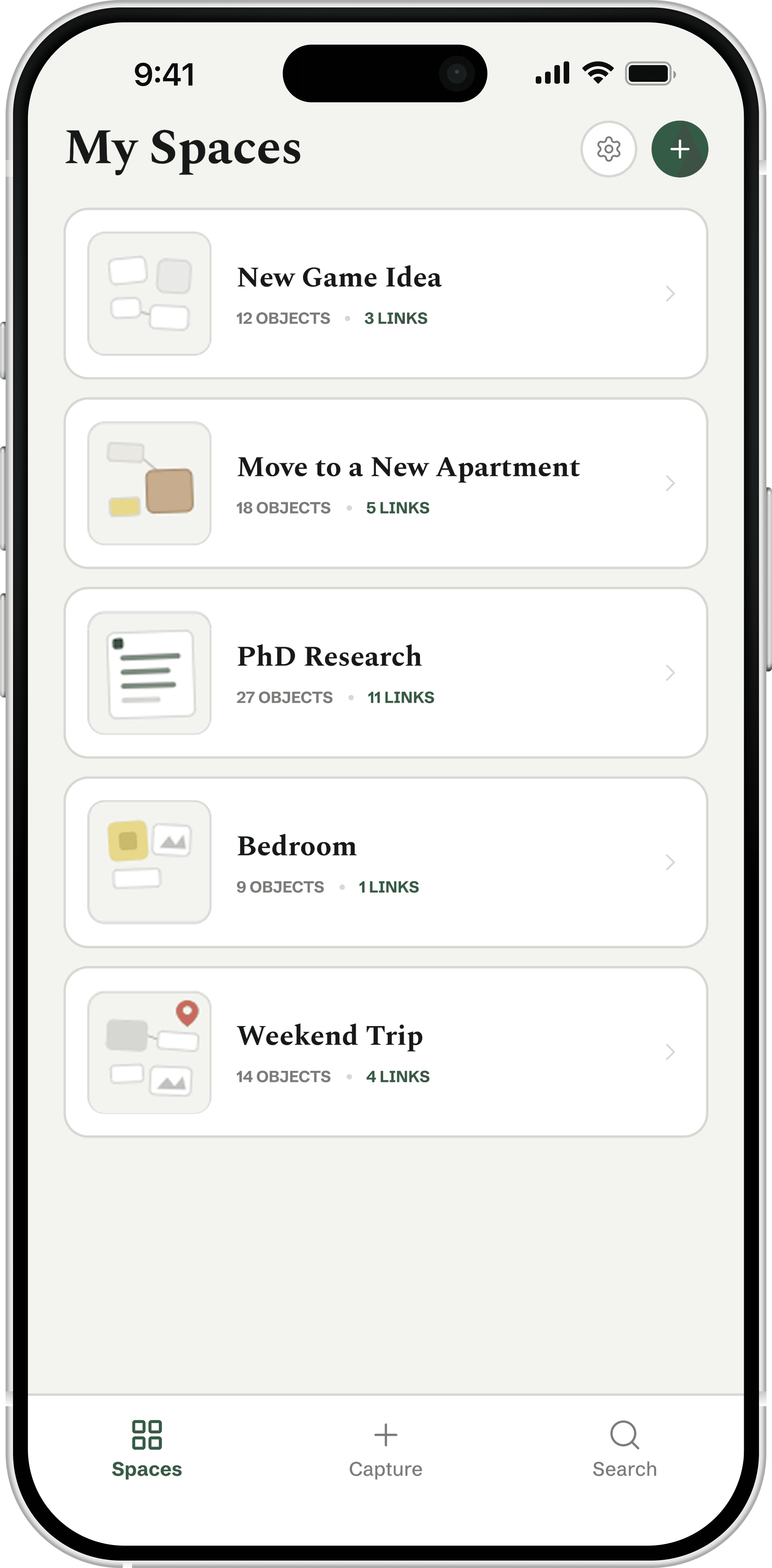
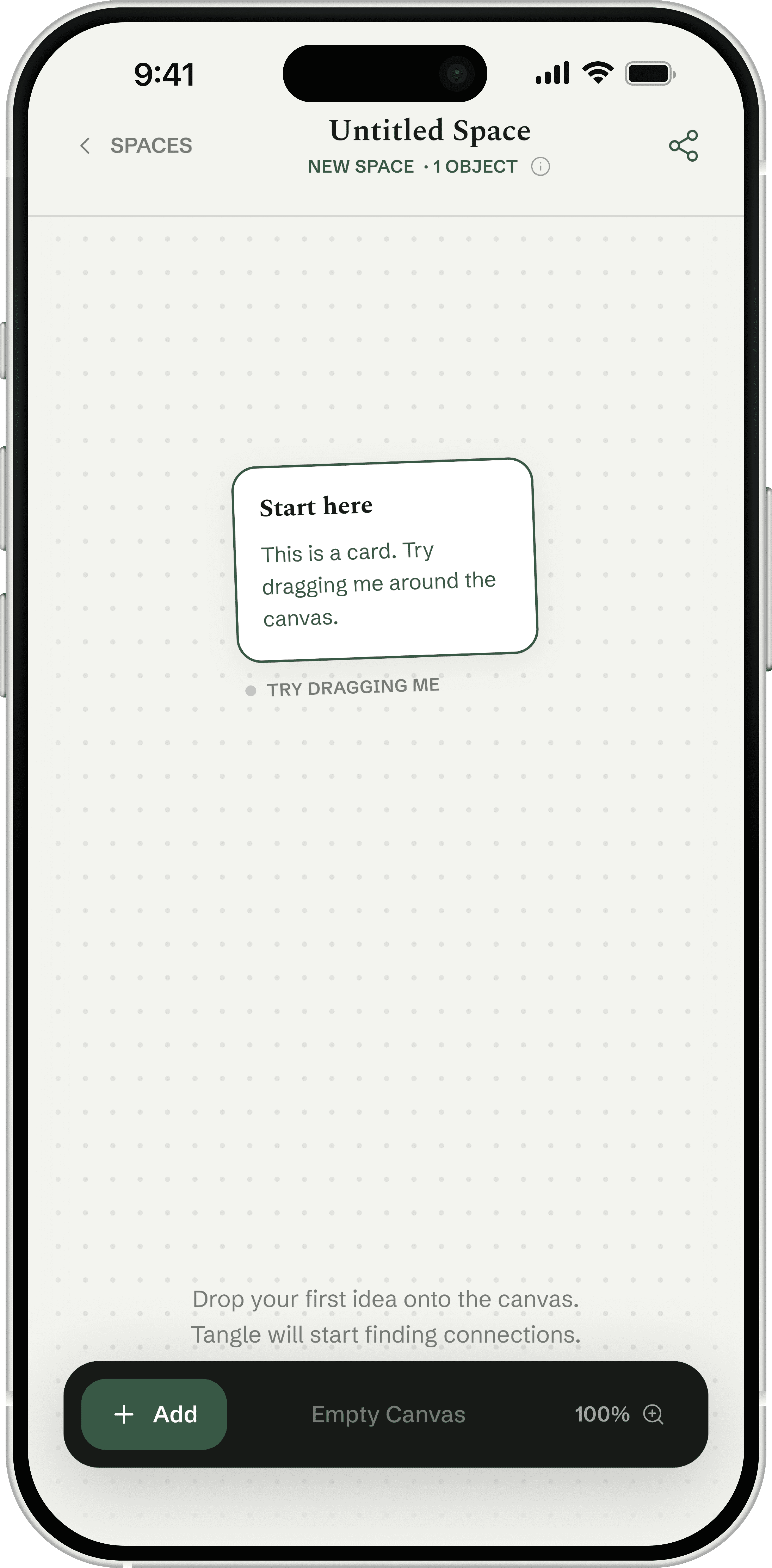
A closer look at the final screens.
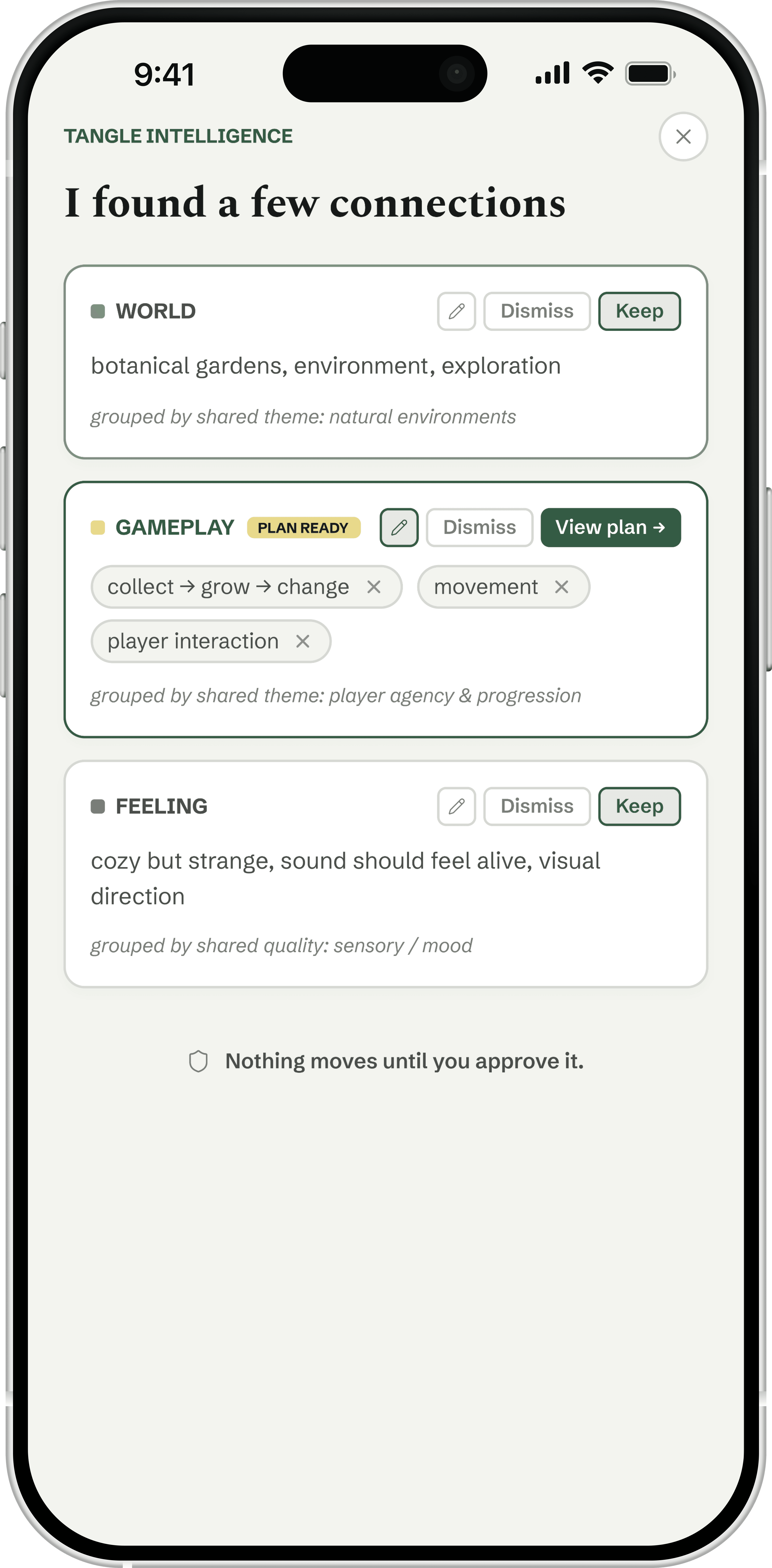
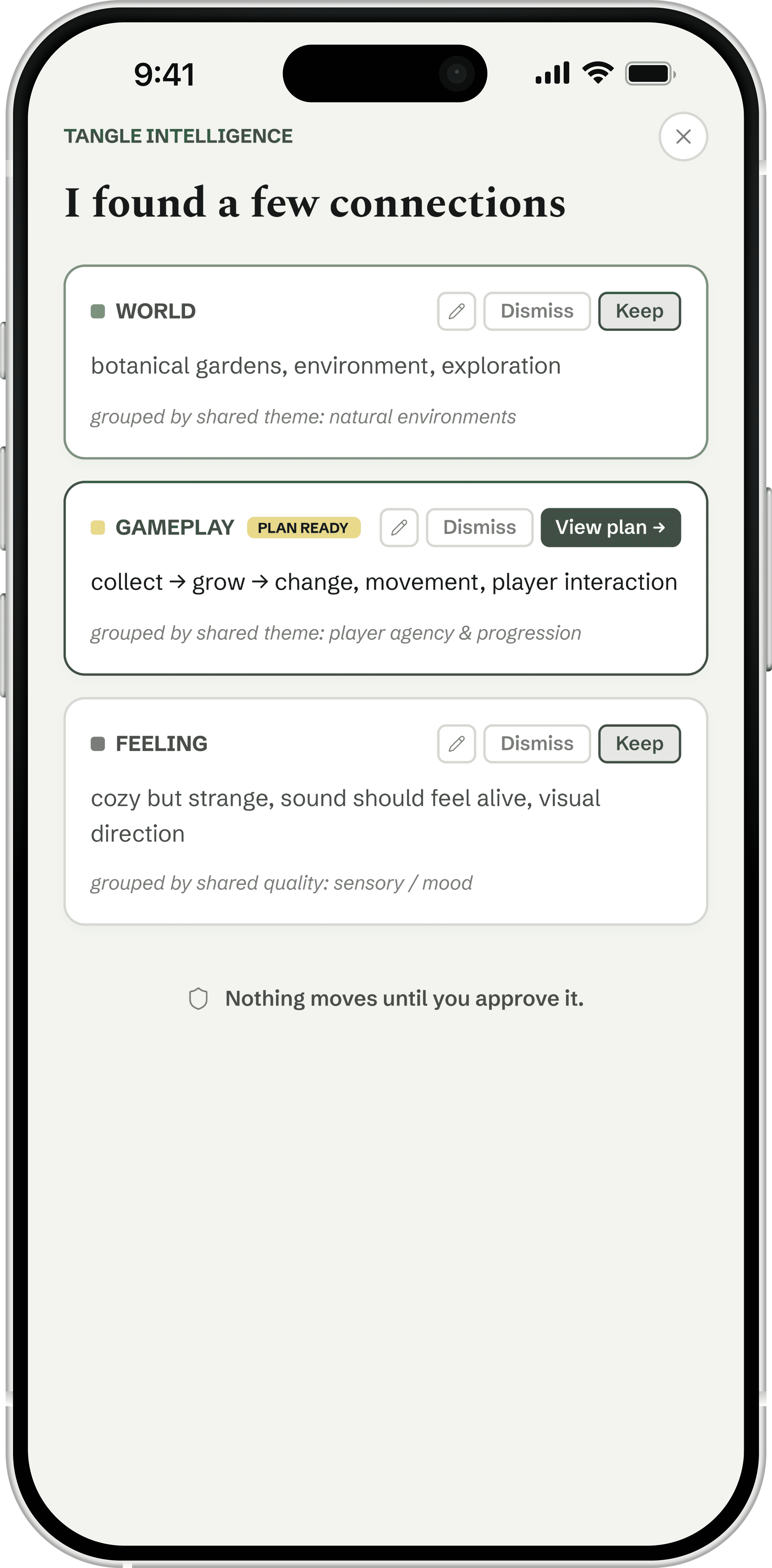
Tangle Intelligence
Each suggested cluster carries its own rationale, and a tap opens edit-in-place before anything is kept.
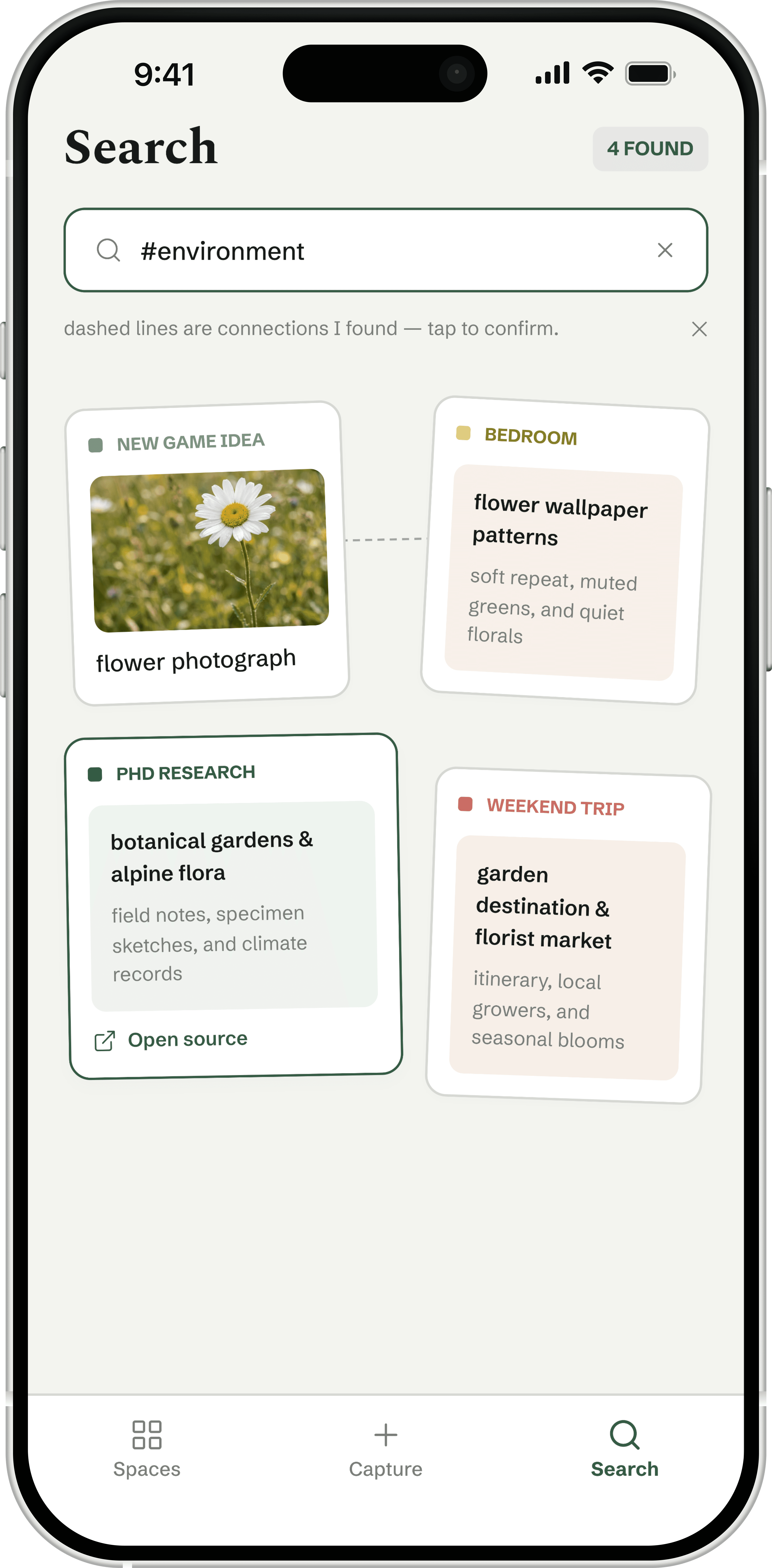
Search
A dashed line marks a connection Tangle found on its own, distinct from any link drawn by hand.
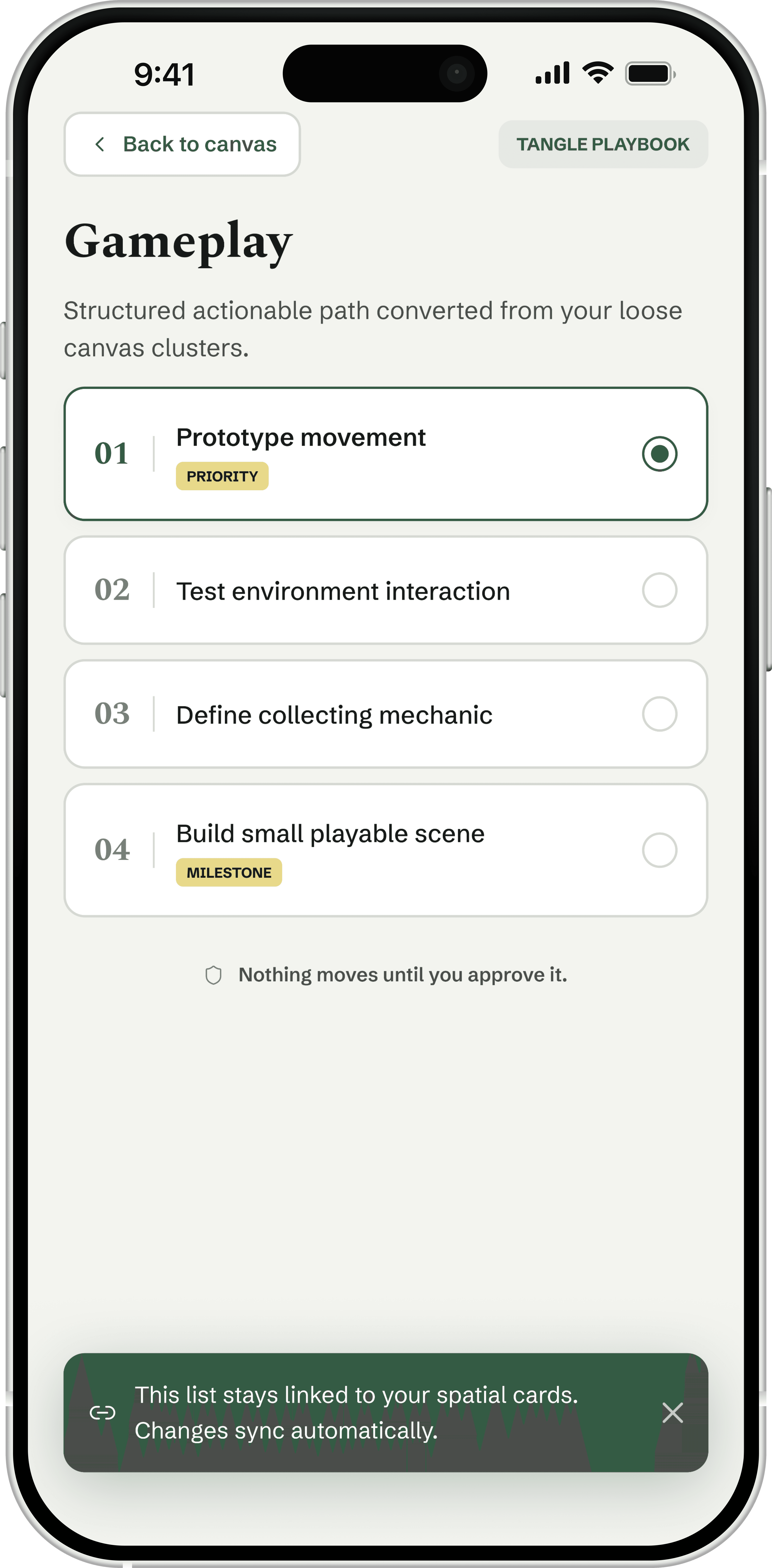
Gameplay
Numbered steps pulled straight from the canvas, still linked back to the cards that made them.
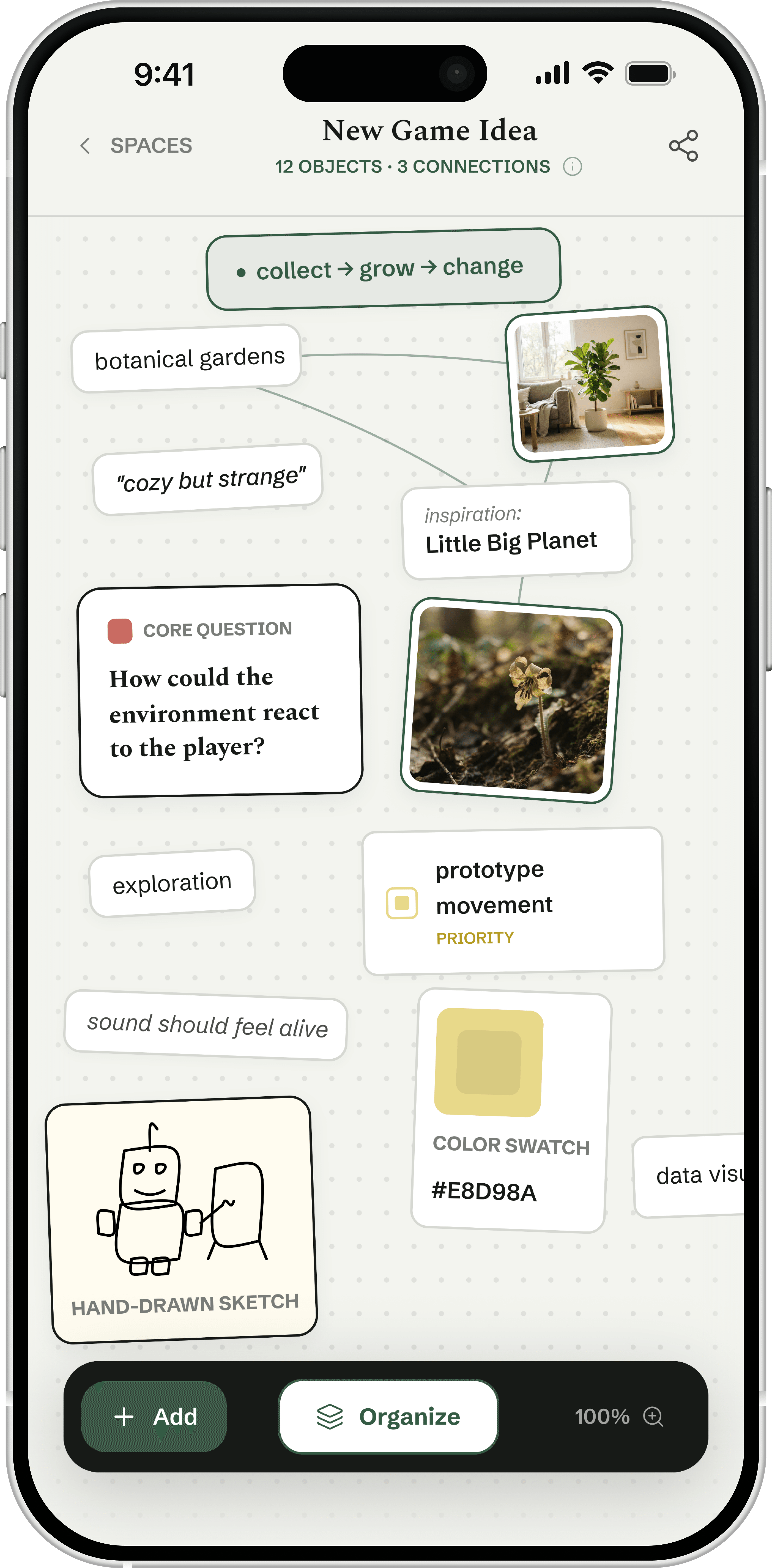
Canvas
Twelve cards, four category colors, three connections: the product's core metaphor at a glance.
Every decision came back to one line: nothing moves until you approve it.
What worked
Making the AI's reasoning visible instead of just its output: a rationale line under each cluster turns a suggestion into something you can actually evaluate.
What I'd do differently
The category system still relies on color alone to tell World, Priority, Decision, and Feeling apart. I'd add a shape or icon so meaning survives a color-blindness simulation.
What I'd track
Whether people actually open the edit-in-place pencil before accepting a cluster, or whether “Keep” becomes a reflexive tap once trust is established.
Want to hear more?
I’d love to walk through the details.